Hey Sara,
How annoying, and frustrating!
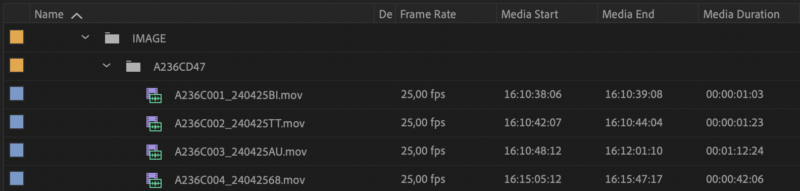
There is not enough information for anyone here to investigate the individual files.
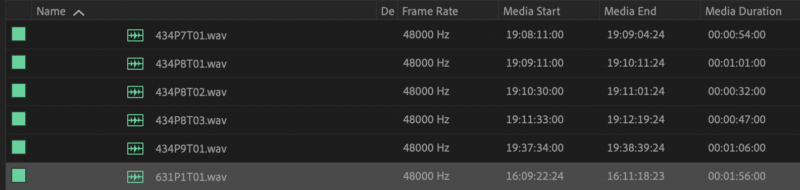
But if you look at your second screen-shot, of the WAV files, then it is either a miracle, or there is something else happening.
As if the audio and the video were running on the same frame-rate with camera and audio recorder synced together, it should be near impossible for soo many clips next to one another to end up with “00” in duration. And you have 5 clips that starts with “00” and ends on “24”, and the 6th clip does its own thing.
It could be a setting in how the audio recorder recorded clips, frame-rate or other wise. But nonetheless is confusing the editing software. In short someone might have “flicked” a switch on day 20.
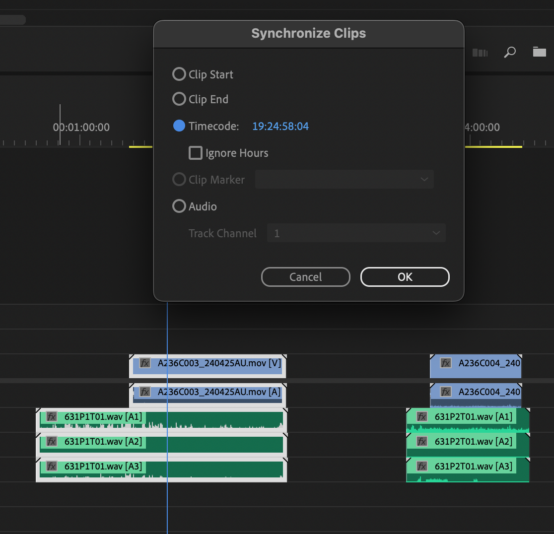
If the time-code for video and audio is in sync when syncing using audio as a guide, then I would suggest that you use that – just to get started. You could take all the clips and treat them as a multi-cam sync from the bin, and see if that is faster.
As it is a 20 day shoot, I would suggest that you might also reach out to who-ever will be doing final audio foley(?), ADR and Mix, to see if they have comments. As it is unlikely to be a new problem that you have discovered by chance.
As always, there are much smarter people around here than me, who will have a better idea of what is going on.
Do let us know when you find the cause and the solution, as we can all learn from that.
Atb
Mads