Creative Communities of the World Forums

The peer to peer support community for media production professionals.

Activity Forums Maxon Cinema 4D can’t hide edges/wireframe in Gouraud shading mode

  • can’t hide edges/wireframe in Gouraud shading mode

    Posted by Muhammed Sallah on February 11, 2024 at 12:21 am

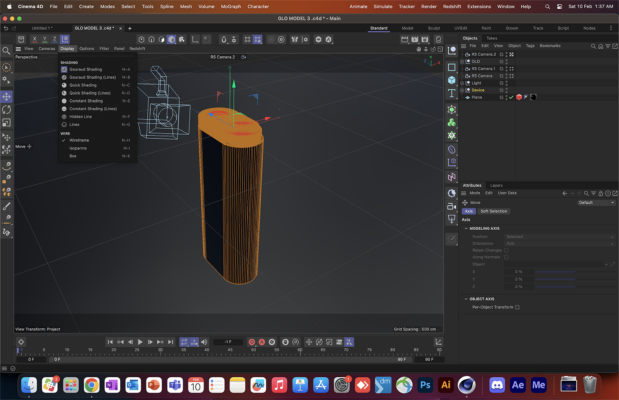
    Guys I really need help with that, I tried tens of solutions non of them worked, I cant hide object segments while its active, whatever I do, and I’m on edge or polygon selection mode

    Kouraib Abdmalek replied 2 years, 6 months ago 2 Members · 1 Reply
  • 1 Reply
  • Kouraib Abdmalek

    February 11, 2024 at 9:39 am

    Hi Muhammed,

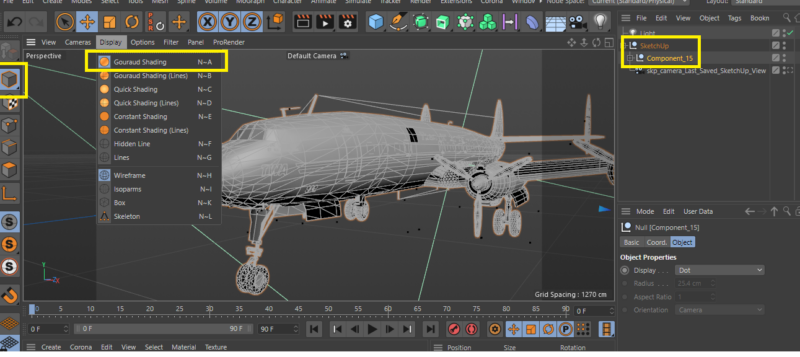
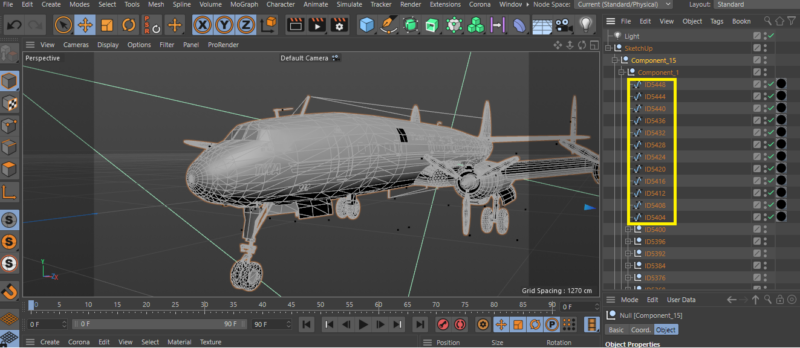
    If you get this problem only with this element, then what is shown in the screenshot is that the model is made up of several elements under a Null Object named Device. I don’t know, but the model may have splines at each edge, as is the case with models imported from other programs especially imported from Sketchup, so when you select the Null Object, you will see in the viewport that all edges are activated, even in Gouraud Shading mode, so you have to delete the splines; If my guess is wrong, please post the model file here to let me check it for you.

    Thanks!

We use anonymous cookies to give you the best experience we can.
Our Privacy policy | GDPR Policy