Creative Communities of the World Forums

The peer to peer support community for media production professionals.

Activity Forums Adobe After Effects How to generate an Animated Random Scibble Line?

  • John Cuevas

    August 15, 2023 at 1:33 pm

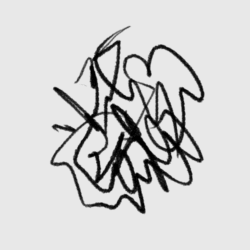
    I would use a few expressions on a write-on effect. Look at my example project. Changing the random seed number will change the patterns.

  • Ornella Jacobson

    August 15, 2023 at 2:08 pm

    Hey John, thanks a lot! The way it looks is really close to what I’m trying to achieve!

    Now instead of this static line being “written” I would basically only need the final shape it creates, but changing for each frame. Ideally, its shape also wouldn’t be completely random each time (as it is now when I change the random seed) but instead kind of evolve from one to the next. Does that make sense?

    I’m not that experienced with expressions so I honestly don’t know how to proceed 😀

  • John Cuevas

    August 15, 2023 at 2:31 pm

    To do that, I would just export a PSD(Cntl+Alt+S) of the last frame. Change the scribble by changing the random seed number(201 is what I set it at), and then export again until you have enough scribbles. You can also change change the size of the scribble by changing the Brush position wiggle number to something higher than 300.

    When you have enough scribbles, bring them all back into After Effects, put them in a comp, make them last as long as you want(looks like 1 frame in your gif), then sequence them one after another.

    I’m not sure about making them evolve – someone else might be able to come up with an idea for that.

    I’m actually leaving for a flight right now, so if you have anymore questions, hopefully someone else can help out or I’ll be back in a few days.

    Salud

We use anonymous cookies to give you the best experience we can.
Our Privacy policy | GDPR Policy