-
Changing Workspace Layout
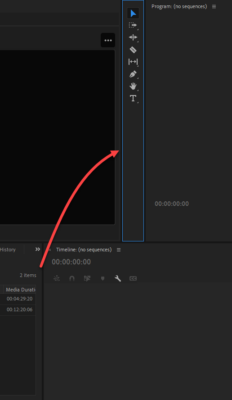
I’m running PP V22. PP seems to have a habit of making minor changes to the layout on its own. This is annoying but I’ve been able to undo it in the past with Windows \ Workspaces \ Reset to Saved Layout. This time PP has moved the the tools box up to the left of the Program Monitor from where I had it at the left of the Timeline panel and this time Windows \ Workspaces \ Reset to Saved Layout doesn’t restore it. Nor can I find a place to grab the tools box and move it back to where it was. Does anyone know what’s going on? Thanks.