-
PC Setup Comparison
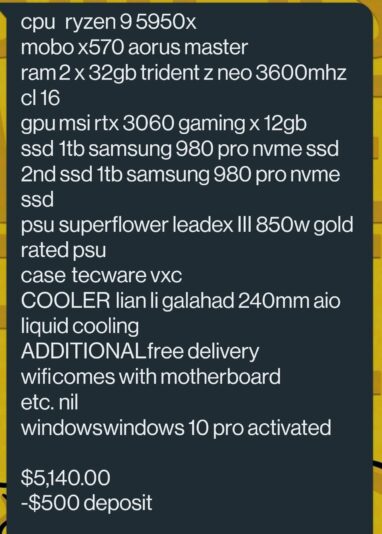
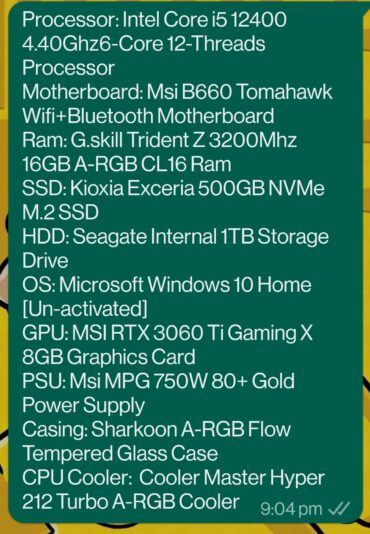
Been working on my custom PC set up (specs in black) on premiere with 4k footage from A7sII for the past year-ish and apart from the 3 mins “media pending” in the beginning of the day and the occasional GPU hiccups (which requires me to restart premiere) – it works well for me. But my new colleague says her PC (specs in green) works a lot faster for cheaper setup. She says after premiere boots, it starts working instantaneously. She even says after effects renders faster on her PC.
I keep running through her specs and mine and I don’t see it. So I’m wondering if anyone can help point out where I could have gone wrong. I’m tasked with getting a new setup for her in the office – and every gut feeling is telling me to get better specs but I don’t want to make the same costly mistake. Thanks in advance.
A quick note – I tend to edit off and external usb-c ssd and store my cache in my local drive.