Creative Communities of the World Forums

The peer to peer support community for media production professionals.

Activity Forums Adobe After Effects Shape layer with shadow (super noob question)

  • Shape layer with shadow (super noob question)

    Posted by Sergio García on February 24, 2022 at 1:20 pm

    Hi,

    I’m an absolutely begginer (my experience with AE has been making 2 motion graphics so far) and I’m watching easy motion graphics and trying to figure out how they made it. I found this:

    https://www.youtube.com/watch?v=5taUBakYw0I

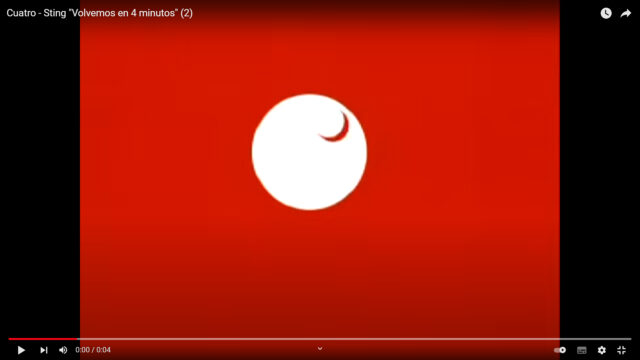
    If you watch it carefully youu will see that the little circle casts a shadow when it cross the big one.

    How can I make a shape layer which casts shadows like this one? I’ve tried a few ways like making a black copy of the layer with blur or using CC Radial Fast Blur but it doesn’t achieves what I want.

    Thank your for your time and help!

    Some contents or functionalities here are not available due to your cookie preferences!

    This happens because the functionality/content marked as “Google Youtube” uses cookies that you choosed to keep disabled. In order to view this content or use this functionality, please enable cookies: click here to open your cookie preferences.
    Sergio García replied 4 years, 6 months ago 2 Members · 2 Replies
  • 2 Replies
  • John Cuevas

    February 24, 2022 at 4:17 pm

    I think you could do this two ways. Since the shadow is color as the background. You could use the Perspective/shadow effect and set the shadow opacity to 100% and use the background color to be your shadow.

    Another way to do it would be to duplicate your front circle layer, remove the position keyframes, offset it to the shadow position and parent it to the front circle. Now change your large circles Track Matte to be Alpha Inverted and it the matte circle will cut a shadow out of the large circle.

    I’ve attached a project with both methods.

  • Sergio García

    March 1, 2022 at 10:09 am

    I’m sorry I haven’t been able to be home these days but… Wow! Thank you for your time!

    It also made me understand better alpha and alpha inverted (as I said I’m an absolutely noob)

    Thank you, John. You made me a happy boy haha

We use anonymous cookies to give you the best experience we can.
Our Privacy policy | GDPR Policy