

Activity › Forums › Adobe After Effects Expressions › Draw parametric equations in AE, how to make them do deformation animation ?
-
Draw parametric equations in AE, how to make them do deformation animation ?
Posted by Taku Wilson on December 2, 2021 at 12:39 pmHello, I want to use the expression of ae to simulate the rose curve in mathematics. I applied a mathematical formula to the position attribute, and I can draw rose curves with different parameters.
However, I want to change the three-leaf curve into a four-leaf curve or another mathematical formula curve. I don’t know how to use expressions to make such an animation.
Taku Wilson replied 4 years, 9 months ago 3 Members · 9 Replies -
9 Replies
-

Kevin Camp
December 2, 2021 at 10:42 pmIf you use the Write-on effect and apply this expression to the Brush Position property it will draw a rose curve with a set number of petals:
r = 5 ; // rate in seconds
n = 3 ; // number of petals
a = 300 ; // size
t = time * Math.PI + r ;
n2 = n / Math.abs( ( ( n % 2 ) - 2 ) ) ;
x = a * Math.sin( n2 * t ) * Math.cos( t ) ;
y = a * Math.sin( n2 * t ) * Math.sin( t ) ;
value + [ x, y ]
Adjust the r, n and a as needed.
In my testing it works pretty well, except for 6 petals, which for some reason only produces 3 petals…
-
Kevin Camp
December 2, 2021 at 11:03 pmI botched the rate… this should fix it:
r = 1 ; // rate to draw each petal in seconds
n = 4 ; // number of petals
a = 300 ; // size
n2 = n / Math.abs( ( ( n % 2 ) - 2 ) ) ;
t = time * 2 * Math.PI / n2 / 2 / r ;
x = a * Math.sin( n2 * t ) * Math.cos( t ) ;
y = a * Math.sin( n2 * t ) * Math.sin( t ) ;
value + [ x, y ]
-

Taku Wilson
December 3, 2021 at 7:12 amI know write on, it can only make an object do a curve movement, I want to make a curve into another curve. thanks
-
Taku Wilson
December 3, 2021 at 7:24 amI want to animate the transition of different curves by changing r n a slider
-
Taku Wilson
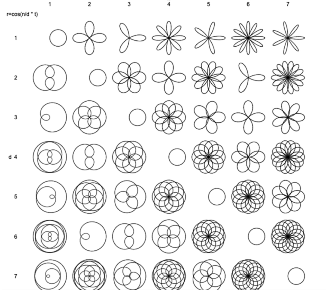
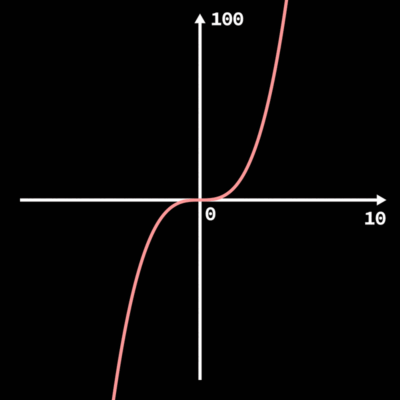
December 3, 2021 at 7:35 amI want to achieve this kind of change effect between different rose curves

-

Filip Vandueren
December 10, 2021 at 11:42 amFor most values of the rose curve you would need infinite amount of points before the curve lines up again. Do you want to limit it to a maximum number of rotations ?
like here: https://www.youtube.com/watch?v=PDrfcPgnhSA
Some contents or functionalities here are not available due to your cookie preferences!This happens because the functionality/content marked as “Google Youtube” uses cookies that you choosed to keep disabled. In order to view this content or use this functionality, please enable cookies: click here to open your cookie preferences.
-
Filip Vandueren
December 10, 2021 at 1:26 pmHere’s my project that does it with a shape instead of write-on:
-
Taku Wilson
December 10, 2021 at 3:22 pmThanks, I found that the for loop is calculated every frame, which is very interesting!

Reply to this Discussion! Login or Sign Up