Creative Communities of the World Forums

The peer to peer support community for media production professionals.

Activity Forums Adobe After Effects Timeline Layers Overlap When Importing PSD to AE

  • Timeline Layers Overlap When Importing PSD to AE

    Posted by Melisa Bala on September 29, 2021 at 1:46 pm

    Hello,

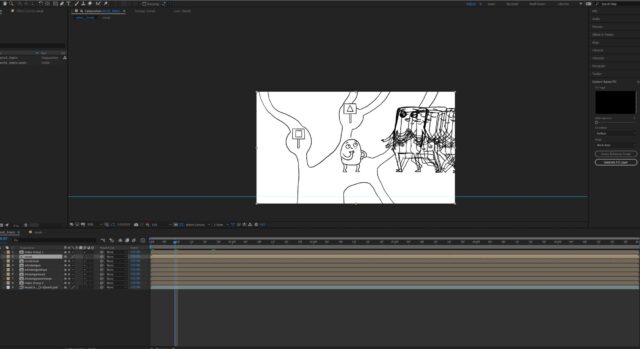
    I used to be able to import PSD timeline to AE and edit. But somehow now when I import a PSD file with a frame by frame animation timeline, AE overlaps the layers. When I click the compositions to see what’s inside, it is all empty. I tried importing every combination possible, tried purging, restarting,..

    Hope someone can help me.
    Thanks
    M.
    Graham Quince replied 4 years, 10 months ago 2 Members · 1 Reply
  • 1 Reply
  • Graham Quince

    October 2, 2021 at 1:58 pm

    I’ve not tried animating in Photoshop before, so I can’t say what used to work verses now, but if you go to Animation > Keyframe Assistant > Sequence Layers, you should be able to organise the layers with a new clicks to have each layer take up one frame and not overlap

We use anonymous cookies to give you the best experience we can.
Our Privacy policy | GDPR Policy