Creative Communities of the World Forums

The peer to peer support community for media production professionals.

Activity Forums Maxon Cinema 4D fading clones

  • fading clones

    Posted by Chad Demoss on June 30, 2021 at 5:37 pm

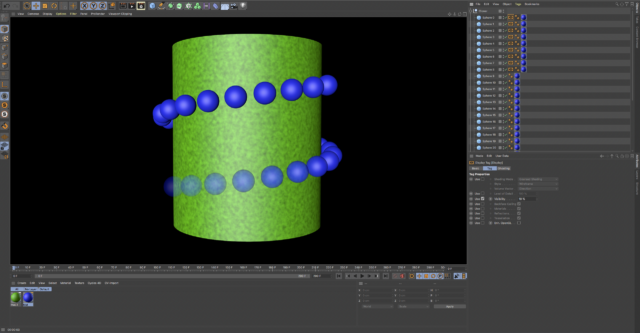
    I have been trying to figure out how to fade clones and watched a couple videos fading clones on a linear path using the mograph color shader (seems like an old tutorial, there was check boxes missing) but how would you fade clones on say a helix? What I’m trying to figure out is how to fade the first or last few clones sequencely. lets say there’s 30 clones and I wanted to fade the last 10 clones so that clone 10 is at 10% opacity clone 9 is at 20% ect…

    Jim Scott replied 4 years, 10 months ago 2 Members · 1 Reply
  • 1 Reply
  • Jim Scott

    June 30, 2021 at 11:15 pm

    If you don’t need to control the clones after their creation, you could use a cloner in object mode with the helix as the object, make the cloner editable to separate all the individual clones, and add a display tag to the last nine. Set the display tag for each one to 10%, 20%, etc. respectively.

We use anonymous cookies to give you the best experience we can.
Our Privacy policy | GDPR Policy