Creative Communities of the World Forums

The peer to peer support community for media production professionals.

Activity Forums Apple Final Cut Pro Monitor switching

  • Monitor switching

    Posted by Jacqueline Bazinet on April 14, 2021 at 11:02 pm

    Hello there,

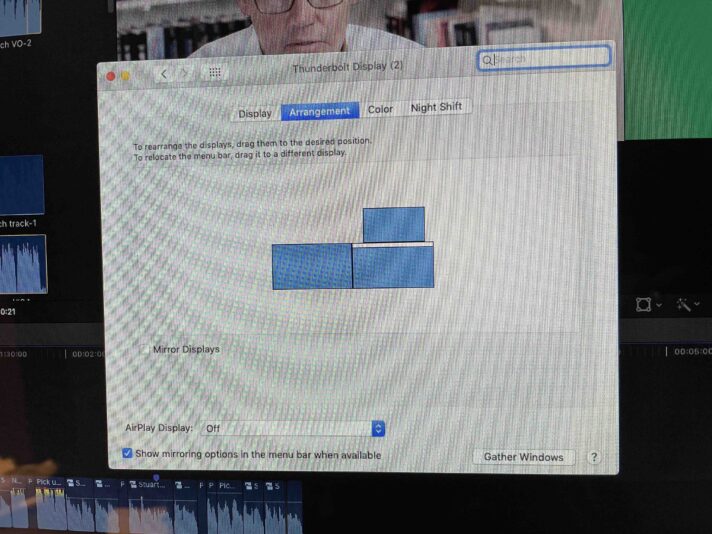
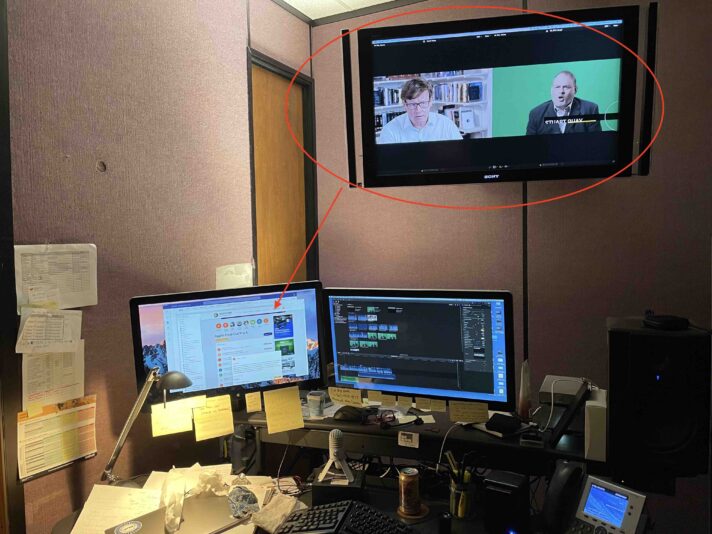
    I have a recent issue with my 3 monitor set up. I have 3 monitors, 2 Apple Displays and a HDTV set up. My FCPX v. 10.4.9 used to be set up so that I had the Viewer set up on my left monitor and the rest of the interface such as timeline and browser in the right. BUT now the viewer wants to go to the HD TV monitor which is not in my eye line so it is annoying and I can’t seem to find the right settings to put it back on my left monitor. I’ve tried moving around the monitors in System Preference but it doesn’t make any difference.

    Eric Santiago replied 5 years ago 2 Members · 6 Replies
  • 6 Replies
  • Eric Santiago

    April 15, 2021 at 12:58 pm

    Have you tried the old plug cable in one at a time trick?

    Isnt there an app that can help with that?

    Whats your specs?

  • Jacqueline Bazinet

    April 15, 2021 at 5:58 pm

    That is actually how I actually got to this issue. Mac wasn’t booting up correctly, (applications were unresponsive) so I unplugged all peripherals and rebooted. I’ve had this set up since 2014 so it’s not changed much. In 2019 our company decided to take over IT services for our department’s Macs and put all kinds of security software on them and they’ve never been the same (sigh). I’ve got a brand spanking new 2020 Mac Pro waiting to replace it, I just want to get one last project done before tearing it all apart!

    I may just pull the TV out of the mix completely until I am ready to QC my project. That would be my quick fix but not ideal.

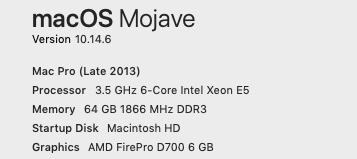
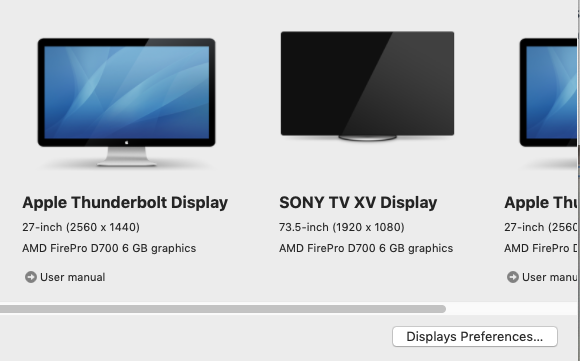
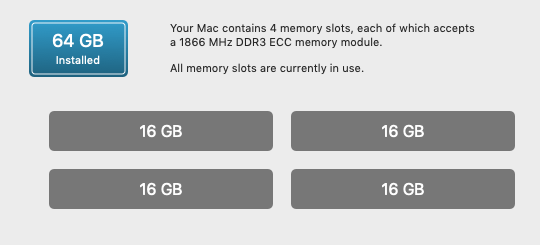
    Specs below

    FCPX 10.4.9

  • Eric Santiago

    April 19, 2021 at 3:30 pm

    I wonder if you would have the same problem with other displays.
    I have a Dell 4K and LG 4K at work and don’t act up unless you accidentally shut one down.

    At home, it’s two Apple Cinema 30s and I tell ya, I would love to replace them but not in the budget.

    It takes a few reboots to get those two to start up right 😛

  • Eric Santiago

    April 19, 2021 at 3:53 pm

    Also have you tried playing around with the resolution setting to see if it affects the setup?

  • Jacqueline Bazinet

    April 19, 2021 at 7:27 pm

    Yes. I did. I finally just pulled the TV monitor out of the mix and that solved it (in a way). Once I am ready to use the TV monitor for final playback I’ll plug back in and see if that “fixed” it.

  • Eric Santiago

    April 20, 2021 at 2:25 pm

    IO options are getting cheaper.
    I use an old BMD Ultra4K to my Eizo CG27 via HDMI.

    If you plan on using external LCDs, maybe get one.

We use anonymous cookies to give you the best experience we can.
Our Privacy policy | GDPR Policy