

-
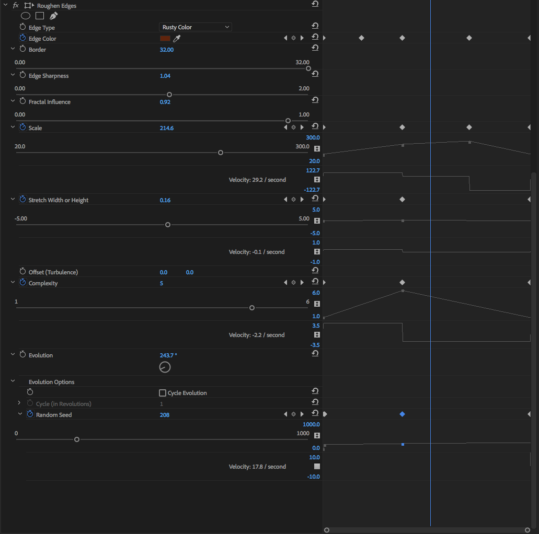
How do I slow down the velocity of (movement of edge burn/damage) the ROUGH EDGE
I am trying to make an interview clip appear
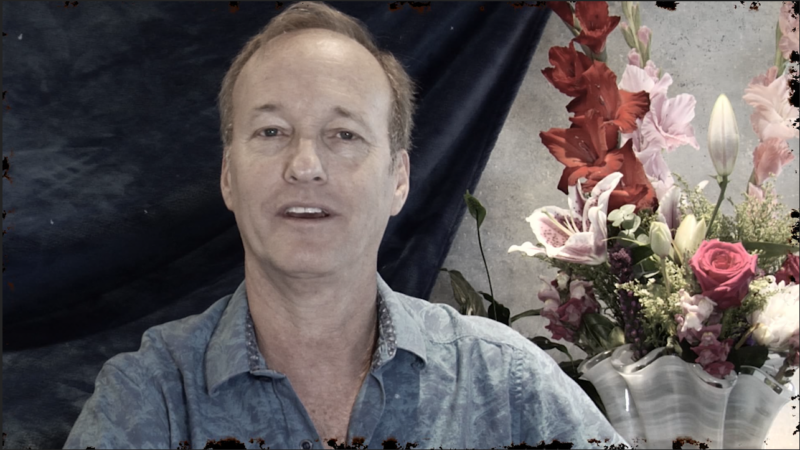
old, worn out, dirty, burned and damaged. It’s a tongue-in-cheek moment for mild comical effect. So, it’s ok if it appears a little kitschy. I am using the ROUGHEN EDGES effect in the STYLIZE category to achieve this goal. I also have a few other layers on top to aid in this
appearance (LIGHT LEAKS, OLD FILM GRAIN). The effect looks great, however, the
movement of the ROUGHEN EDGES effect around the perimeter and mild effect across the
surface are disturbing because of the incredible speed all the dirt and filth
moves. I would like to slow it down so it gracefully and subtly moves just a
bit. Is there anything to do to the settings to slow down the movement without
slowing down the entire clip? I’ve tried reducing the “velocity” setting at the very bottom with no noticeable change. The ROUGHEN EDGES effect is part of the original video layer, so
slowing the whole thing down will not satisfy my goal. Attached are photos of
the clip including a detail shot and the settings in the effects control
window.

Sorry, there were no replies found.