Creative Communities of the World Forums

The peer to peer support community for media production professionals.

Activity Forums Adobe After Effects Recreating This Spiral Animation In After Effects. Help!

  • Recreating This Spiral Animation In After Effects. Help!

    Posted by Aaron Price on December 18, 2020 at 1:34 am

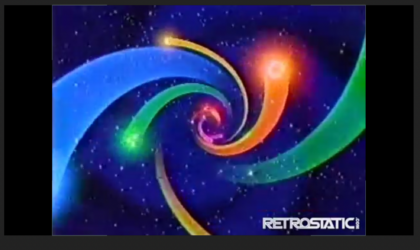
    Hey everyone trying to recreate this effect in after effects, i’m very good with AE but my mind is drawing a blank at the moment with this… It’s an animation from old CBS storyboard 80s.These coloured spirals animate out from the centre, tried using stroke and trapcode stroke but the edges are too round and can’t find the ends out.Any tips or help how I go about this would be great.RegardsAaron

    Here is the link to the animation trying to recreate https://youtu.be/6iU12RZ740I?t=20

    Some contents or functionalities here are not available due to your cookie preferences!

    This happens because the functionality/content marked as “Google Youtube” uses cookies that you choosed to keep disabled. In order to view this content or use this functionality, please enable cookies: click here to open your cookie preferences.
    Graham Quince replied 5 years, 4 months ago 2 Members · 7 Replies
  • 7 Replies
  • Graham Quince

    December 18, 2020 at 11:11 am

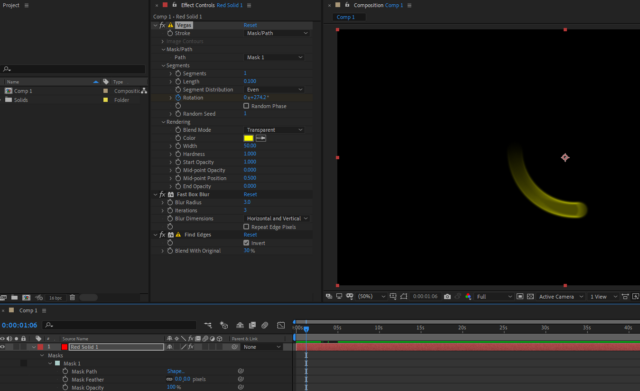
    Take a look at Vegas instead of Stroke. That’ll give you the faded tail. I noticed the edges of the ones in the screenshot were stronger than the interiors, so I used Find Edges set to invert to give it a border. But then Vegas started showing strobing, so i plonked in a fast box blur to hide that.

  • Aaron Price

    December 18, 2020 at 2:18 pm

    That’s more like it, i’ll look into Vegas thanks 🙂

  • Aaron Price

    December 21, 2020 at 4:25 pm

    Hey Graham, had a play around with the Vegas plugin, but lacked the narrowing of the line as it comes spinning out. Had a brainwave the other night and found a pretty much slightly more consuming time way of doing it. Using the vertex tool and tracing over the original video lines. Then animating 2 masks over frames to create an illusion of movement. The effect looks more like the original. Thank you for the tip though Graham with the vegas though 🙂

  • Graham Quince

    December 21, 2020 at 4:45 pm

    Nice one, glad you got a solution. Fancy posting a screenshot of your settings and end result in case someone else is trying to achieve the same?

  • Aaron Price

    December 21, 2020 at 5:41 pm

    Sure bud here is a screenshot so far, basically created a solid with the chosen colour. disabled the viewing of the layer. Then using the vertex tracing the footage lines… I applied your find edges and fast box blur. Applied a slight inner glow on them as well, and added deep glow plugin on top of the layers.

    I watched a making recently of the old 80s HBO intro, and the guy did the starburst animation effect. By applying 2 layers. One layer with the completed pattern, then moving a black layer with cuts in it, that moves over the other layer. Creating a bursting animation effect.

    I suspect the original version of this spiral probably used masks in a similar way, so done that in AE… I’ll post the final version of the video when finished 🙂

  • Aaron Price

    December 22, 2020 at 8:00 pm
  • Graham Quince

    December 23, 2020 at 11:19 am

    Really nice. Well done. Although it’s giving me flashbacks to Saturday mornings in the 80s.

We use anonymous cookies to give you the best experience we can.
Our Privacy policy | GDPR Policy