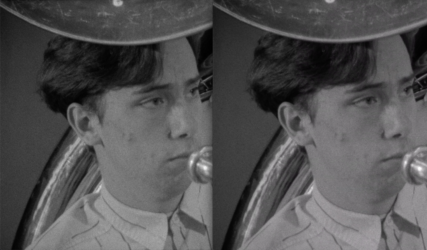
If the original clips are not ProRes or a similar codec, it is expected that a re-encoded version may have slightly different characteristics, called “generational loss”. Normally this isn’t a big deal for a one-time decode from H264. With FCPX all subsequent edits are done to a database and use ProRes scratch files. Those edits don’t cause re-writing of the source files.
You apparently passed the FCP XML to Resolve, which should have accessed the original media files. It would then do a one-time decode of those files and export in your chosen codec. If that codec is Long GOP (H264, HEVC, etc) it will be re-compressed and there’s a greater chance of small differences. If the export codec is ProRes or similar, this would reduce that possibility, but there is still a one-time decode required. The differences shown in your frame grab are very minor.
You can try exporting the original media from FCP to a full-res ProRes file, then compare that to a version exported by Resolve from those same files to ProRes (without stabilization). That would help determine if the decode/encode paths of the two NLEs are producing differences.
Anytime an effect is added (esp. stabilization) that may cause slight differences in the image.
Transcoding from an H264 capture to ProRes or optimized media before the edit does not help this. The media was already captured from 16mm film and encoded in some format, maybe H264 or similar. If there is concern over absolute maximum fidelity, the original capture should have been done to a ProRes file, with scanning producing 10-bit 4:2:2 or greater data.
If possible the best solution is send the film to a professional service capable of doing “wet gate” scanning and restoration: https://www.posthouse.com
The FCP stabilizer is OK for basic tasks but (as you experienced), the stabilizer in Resolve is vastly better. I think the paid version also has various other stabilization options. The tracker and stabilizer can be used together in either point tracking or cloud tracking modes.