

-
Problem with "Twist" tool
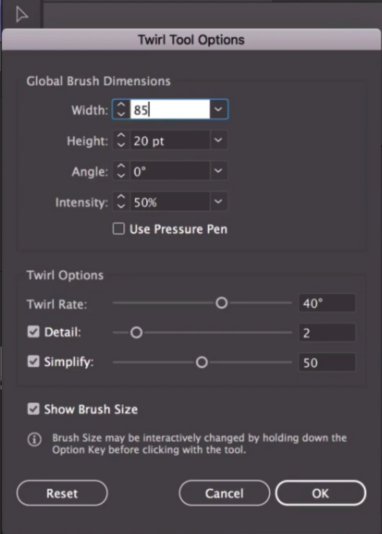
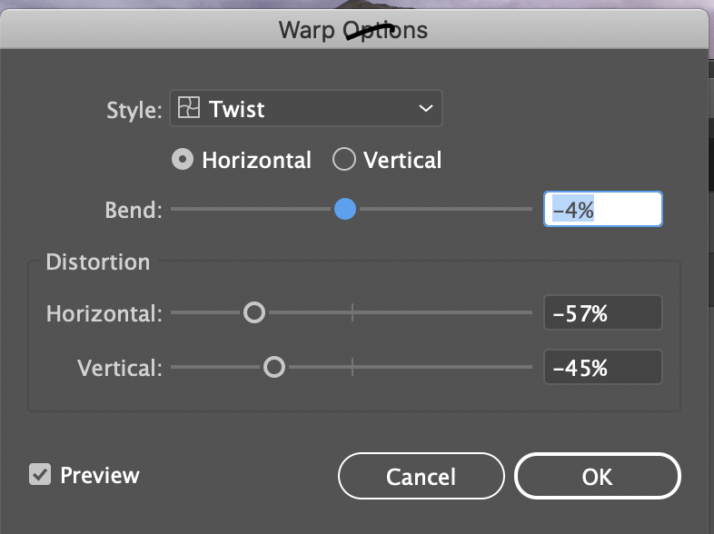
I am using Adobe Illustrator CC 2020 24.3 and trying to copy a tutorial but having problems with the “Twist Tool”. Under “Warp Tools” on the left hand panel there is no “Twist” option available to choose from. So I am not getting the same options as shown in fig. 1. If I look under all the tools then “Twist” is greyed out. The only option I have is under “Effect/Warp/Twist and that only provides me with the option seen in fig. 2. Is there somewhere else that I should be looking for in order to have access to the same options? Thanking you in advance.
Sister Sabina
PS. I have now solved the problem, thank you. I was unaware of it but I was using the “Basic Tools” setting instead of “Advanced Tools” which can be found under “Windows/Toolbars/Advanced. Hopefully this might help other beginners suffering the same fate.

Sorry, there were no replies found.