Creative Communities of the World Forums

The peer to peer support community for media production professionals.

Activity Forums Adobe Premiere Pro “Ghost” Image at transition in Premiere Pro CC Project

  • “Ghost” Image at transition in Premiere Pro CC Project

    Posted by John Glassco on October 5, 2020 at 12:40 am

    Greetings!

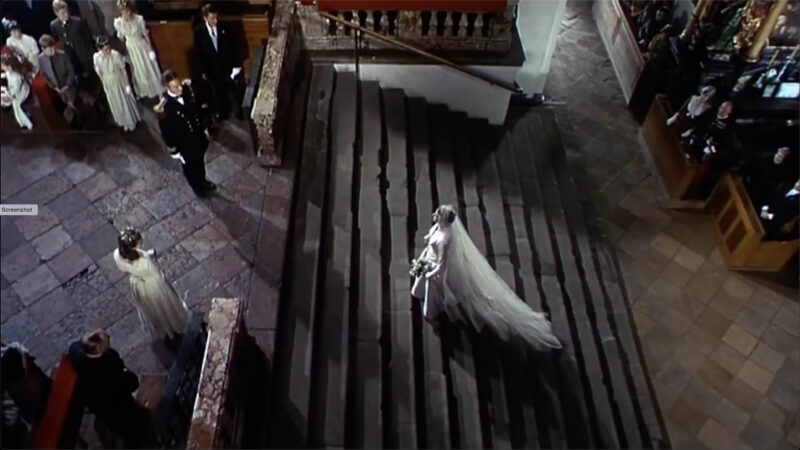
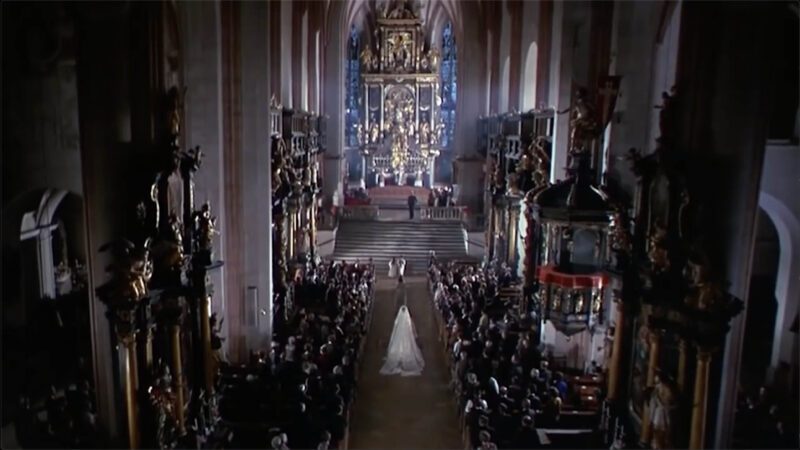
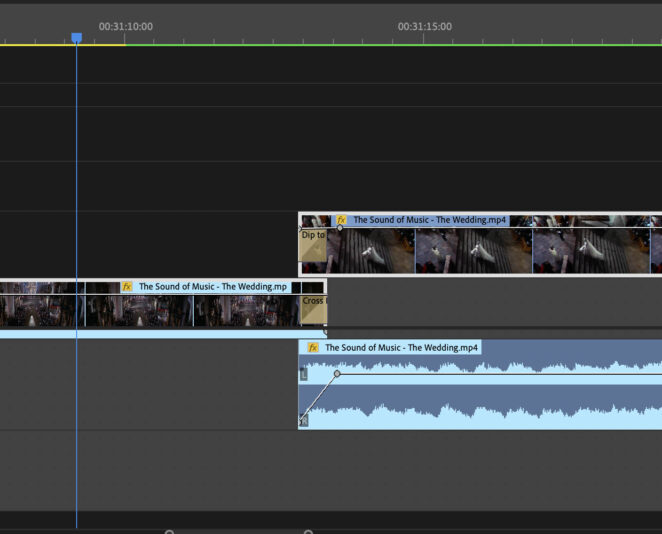
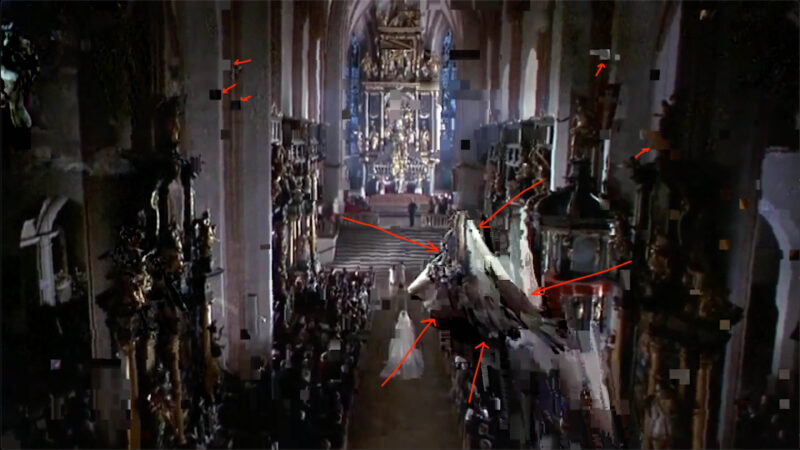
    I’m doing a documentary on the Sound of Music filming locations in Austria and have an issue with a “ghost” image showing up in a single transition in the final rendered project (rendered with Media Encoder) and not in the program window inside the working PPr project. The transition itself is actually at a split point in a long clip that I wanted to shorten. All of the other dozens of transitions in the project have no such issue. I have tried deleting all previous render files and all sorts of transitions at this point like various combinations of manual cross-fades and fades-to-black, and cross-fades and fades-to-black using the program’s effects tools. I have posted screen shots of the ghost image annotated in red, timeline at the transition, and of the before and after transition clips. Any assistance with this frustrating issue would, of course, be greatly appreciated!!

    John

    Ann Bens replied 5 years, 11 months ago 3 Members · 2 Replies
  • 2 Replies
  • Blaise Douros

    October 5, 2020 at 4:00 pm

    You’ve layered one transition over the top of another, which means that it’s highly likely that the ghost frame is just a frame from one of the two tracks that goes beyond your edit point, and is being revealed during the transition. Collapse the two clips onto the same track, use a single transition between them, and you’ll be able to better finesse the point at which the first clip is no longer visible.

  • Ann Bens

    October 5, 2020 at 8:45 pm

    Dont use Dip to Black as a single sided transition. Only suited as a double sided transition.

We use anonymous cookies to give you the best experience we can.
Our Privacy policy | GDPR Policy