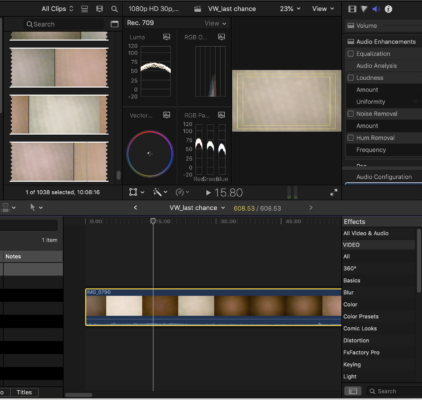
Is the original material like that if you select the clip in the Event Browser, right-click, reveal in Finder and play it in Quicktime Player?
If not select the clip in the Browser, then in Inspector at bottom pick “Settings” and see if a LUT was automatically applied during import.
If the white tiles are really white, you could try Modify>Balance Color, then in the Inspector change from automatic to white balance and use the dropper on the tile. That is not perfect but might be OK.
That said, your RGB parade shows typical values for a brownish tint. You could also just use the color board or color wheels and adjust it so they are more even: https://www.rapidtables.com/web/color/brown-color.html
For any “difficult” lighting condition, it’s often a good idea to shoot a few seconds of a color checker card, which allows faster and better correction in post: https://www.amazon.com/dp/B0173FP6P8/
You don’t need special software for this, it can be done manually as shown in this tutorial:
https://youtu.be/i8DuPM-CtCk