

-
3D camera, continuous rasterisation and blurring footage
OK, tried all I know and still not getting the desired result.
I have some footage of a video card. I’ve got a head and shoulders which I am mimicking in the video card. I’ve used Mocha to get the tracking data and attached it to a corner pin effect (on the comp that contains the footage).
I’ve applied some Bevel and Emboss and Inner Shadow Layer effects. I’ve applied a mask to the comp too. The footage and the comp are set to 3D and all switches on for continuous rasterization.
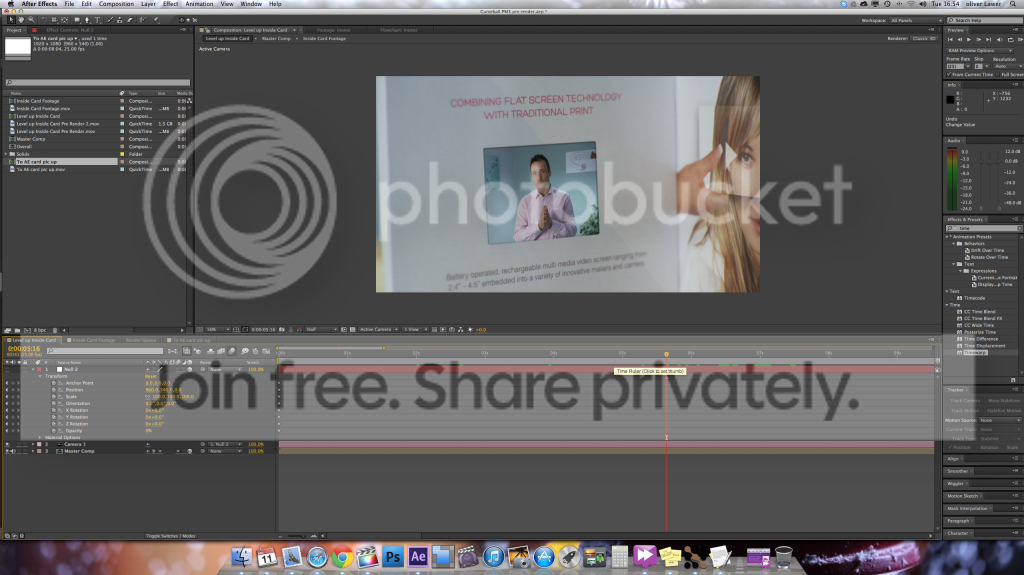
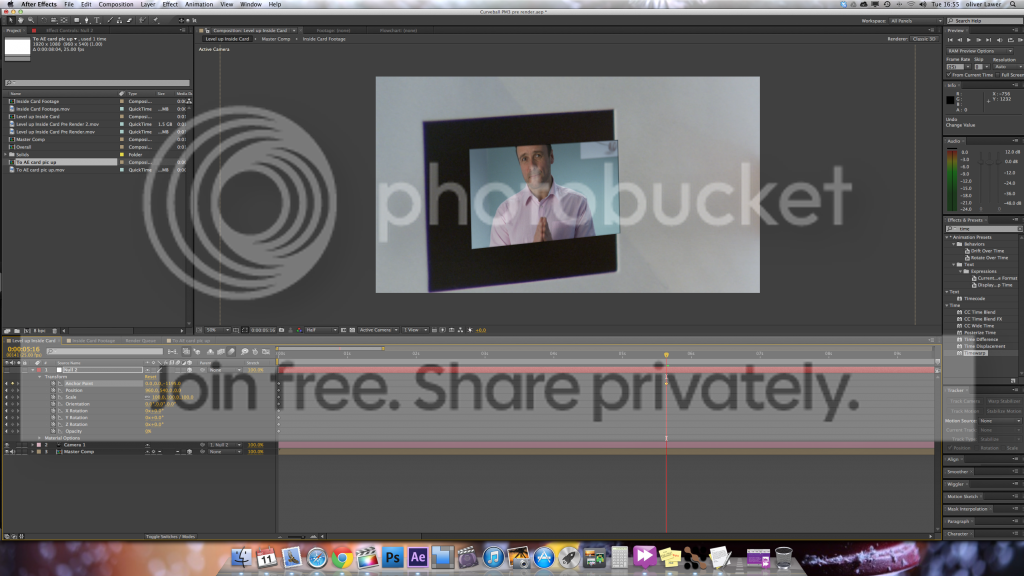
It doesn’t matter what I do, moving the anchor point of a 3D camera rig (Null and Camera) only results in zooming within the footage. So for example when I reposition using the anchor points of the Null to bring the inserted (head and shoulders) footage to full screen, the footage just moves within the footage boundaries (so will zoom the footage beyond the mask and then just keep zooming, but with the inset), not the comp boundaries that these sit in. Here is a visual demonstration of the comp structure. It is 3 deep.
Current comp (doesn’t move within boundaries) > Comp containing footage > footage (moves within this boundary)
It doesn’t matter if I create another pre-comp, the same thing happens.
The only way to solve this is to turn off continuous raterisation, but then the footage is blurry close up. No good. A pre-render has the same effect.
See pics to help explain a bit more.
Olly Lawer


