Creative Communities of the World Forums

The peer to peer support community for media production professionals.

Activity Forums VEGAS Pro Sony Vegas Drop Down Menu Problem

  • Sony Vegas Drop Down Menu Problem

    Posted by Derek Barcomb on February 26, 2012 at 3:29 pm

    I’ve been using Sony Vegas 11 since the beginning of the year and so far i hate it. Ive been getting multiple errors like when i render it says “Error Thrown by method called” . but i thought i was smart and could get past that and started using the ‘Upload Online’ feature and the quality comes out very bad. Ive tried using the YouTube plug in and m,y drop down menus don’t work. also I’ve downloaded other rendering plugins and all the drop down menus don’t work.
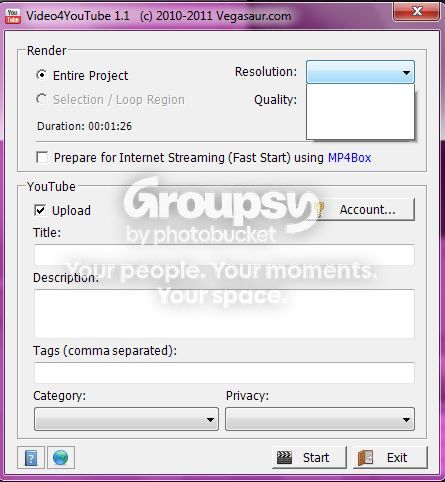
    If you look there are no option in the scroll down menu also i cant even click the little dots.

    Heres how it should look
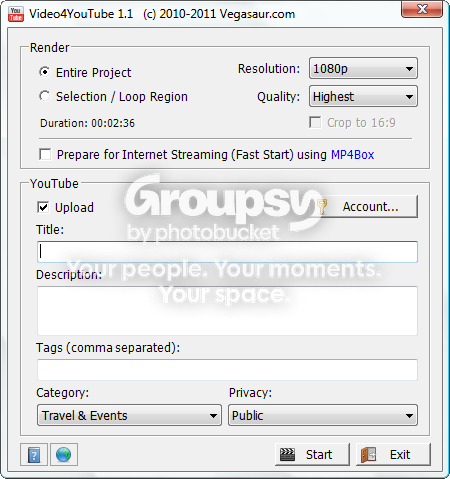
    So basically to sum everything up my problem is i cant click scroll down options and this only happens to plug in. If anyone has a solution or tries to help it would be much appreciated.
    Thanks.

    Stephen Mann replied 14 years, 5 months ago 4 Members · 4 Replies
  • 4 Replies
  • Aleksey Tarasov

    February 26, 2012 at 4:46 pm

    List your project properties… (frame size etc.)

  • Aleksey Tarasov

    February 26, 2012 at 4:56 pm

    I think it is a problem with your system

  • Jeff Schroeder

    February 26, 2012 at 8:23 pm

    The screens you showed worked for me…

    Windows 7 64-bit, ASUS P6X58D, i7 960 3.20GHz, 24.0GB DDR3, 12TB connected storage
    http://www.narrowroadmedia.com

  • Stephen Mann

    February 26, 2012 at 9:55 pm

    Instead of trying to bulldoze the problems, back up and try one step at a time to isolate your problem.

    What happens when you try encode using the Sony AVC type using the YouTube template?

    Steve Mann
    MannMade Digital Video
    http://www.mmdv.com

We use anonymous cookies to give you the best experience we can.
Our Privacy policy | GDPR Policy